Research at the Blegen Library - Tips
Research at the Blegen Library: Tips
This guide explains the main tools and procedures for searching the catalog, locating books, checking out materials, finding books on loan, returning items, renewing books, and suggesting new acquisitions.
Research Guide
1Search in AMBROSIA
AMBROSIA is the union catalog of the ASCSA and BSA Libraries.
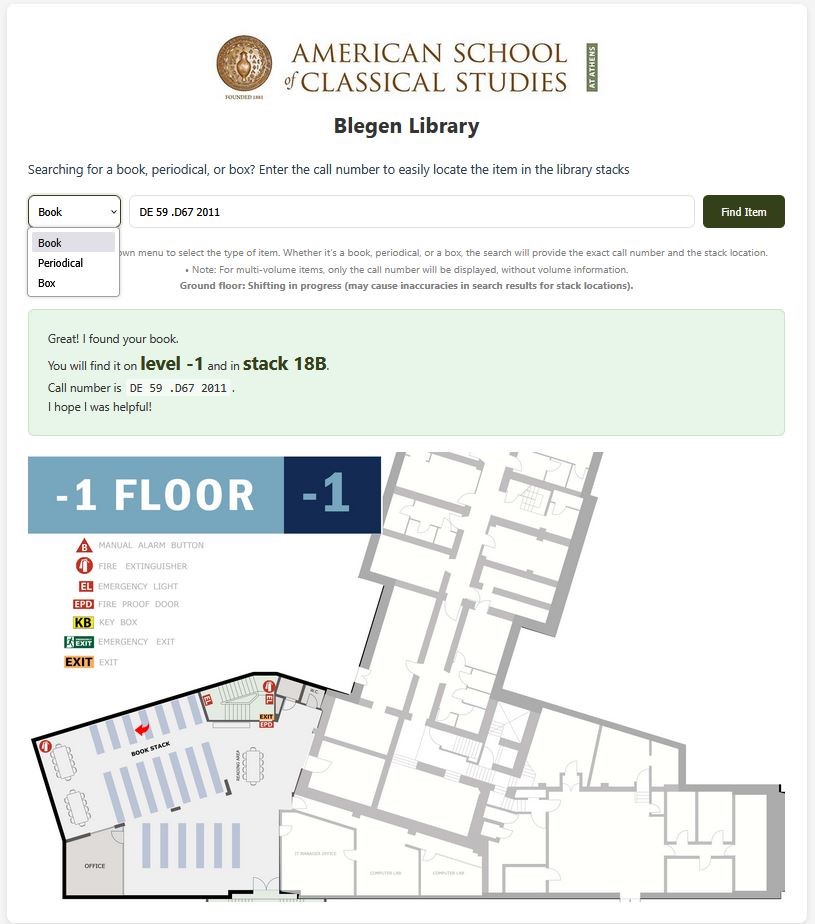
2Locate books in the stacks
The Book Locator application allows you to search for a specific call number and locate it in the stacks, including floor plans and stack-number highlighting.
3Check out books
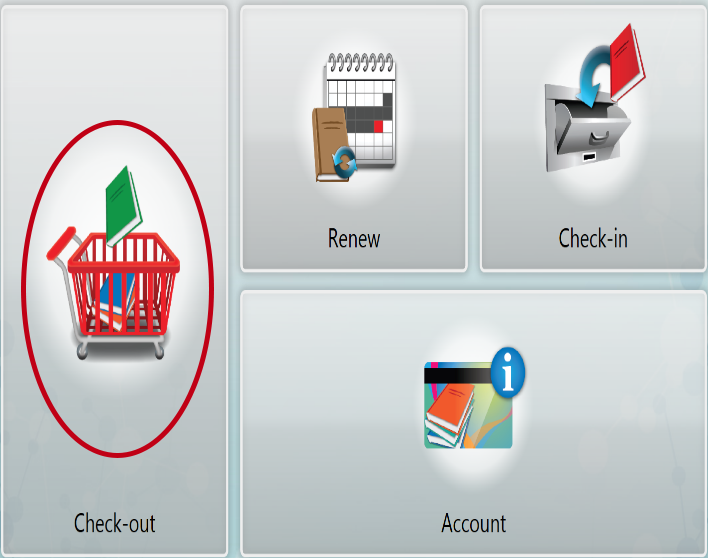
Use the RFID self-check kiosk to check out books.
1. Select Check-out
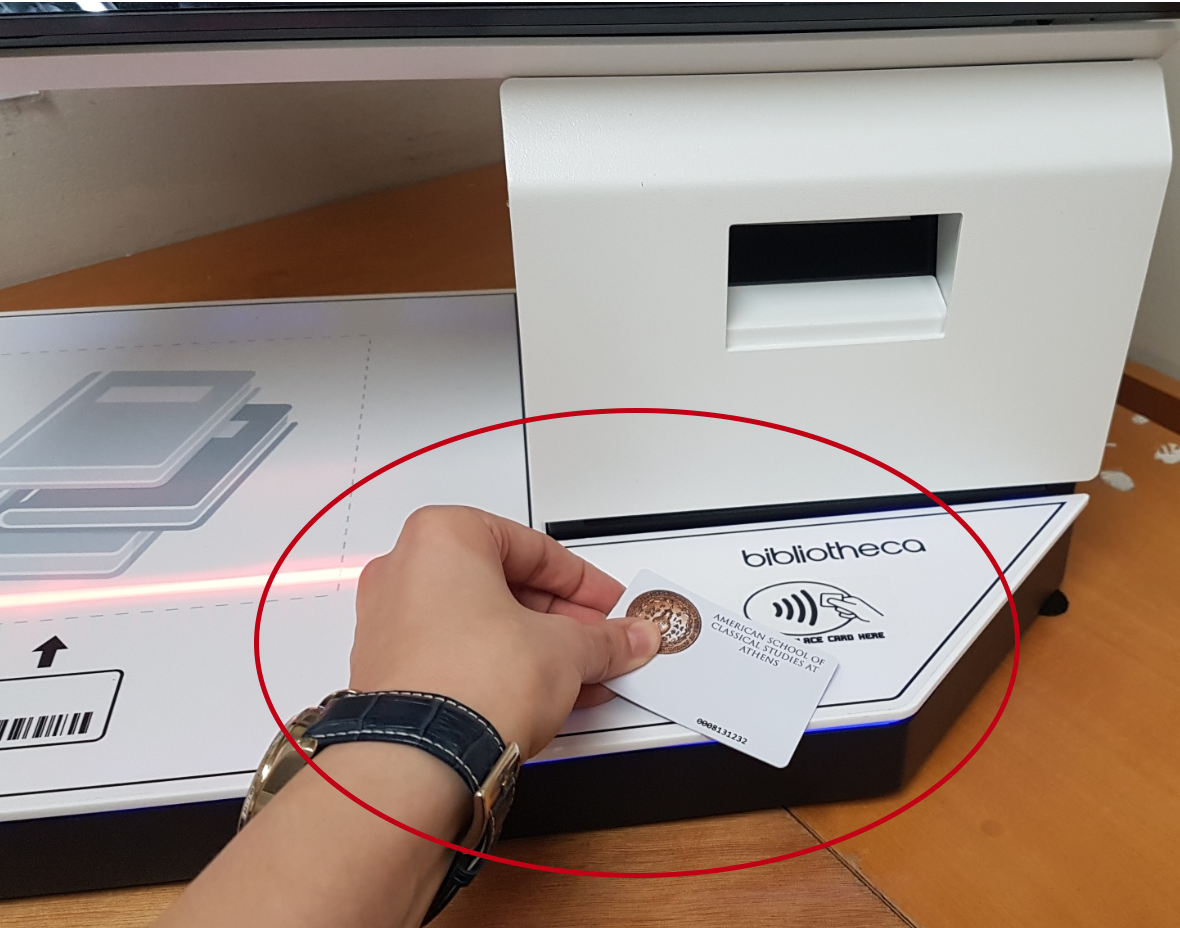
2. Use Library Card
3. Scan Items
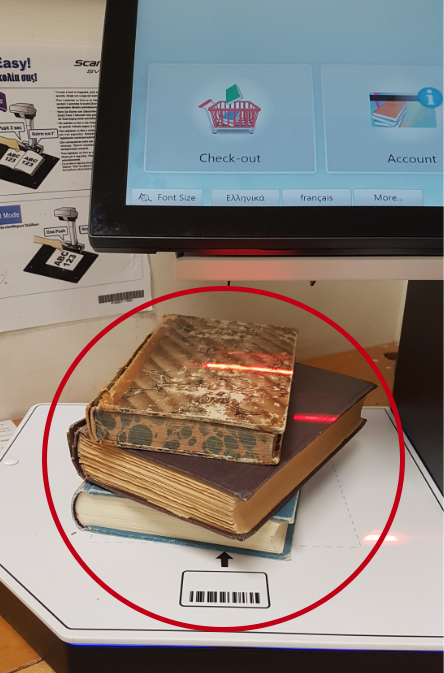
Reminder: These materials cannot be checked out to carrels or tables:
- New books / new periodicals from the Reference Area
- Oversized books
- Books from the Reserve Shelf in the Main Reading Room
4Find books on loan
If a book is checked out, use the “Books on Loan” application to locate it.

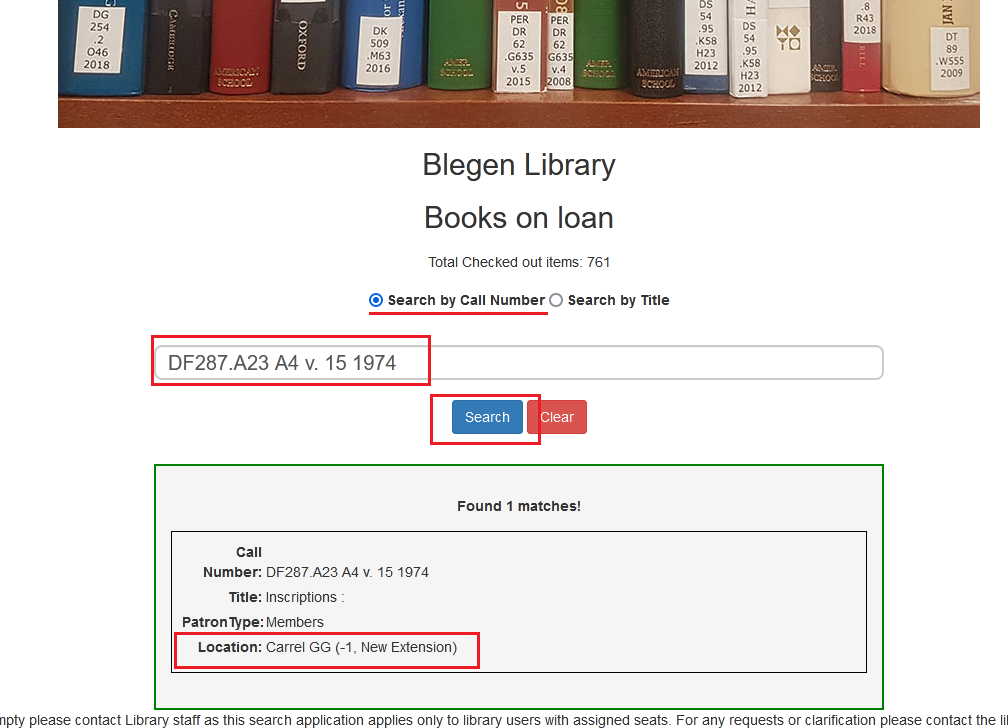
- Choose Call Number or Title.
- Enter the data and click Search.
- Get the location, such as the carrel or table number.
Reminder: The Loan Report is not live, but is updated several times during the day.
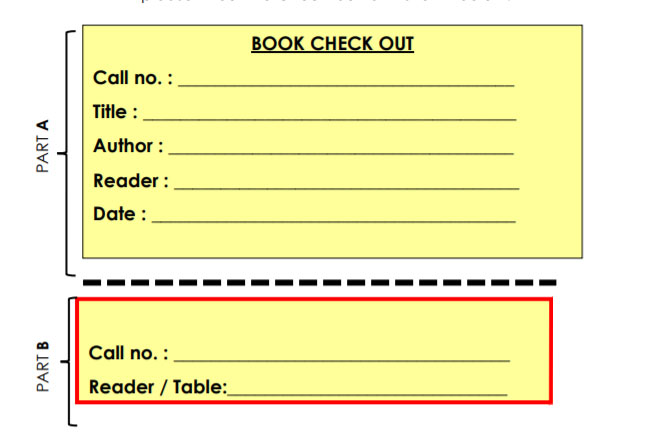
5Borrow a book already on loan
6Return books and periodicals
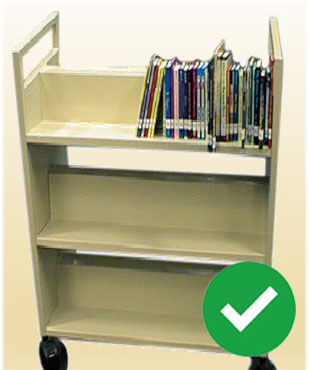
Books: Place them vertically in the reshelving carts for staff to reshelve.
Periodicals: Check them in through the self-check kiosks and then reshelve them.
Correct
Incorrect
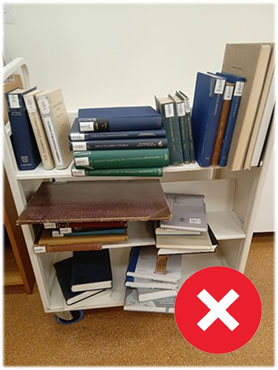
If you only need to check references, quickly consult, or scan books, please return the books to the shelf instead of leaving them on the cart.
The Blegen staff may not be able to reshelve books immediately, especially during weekends and holidays.
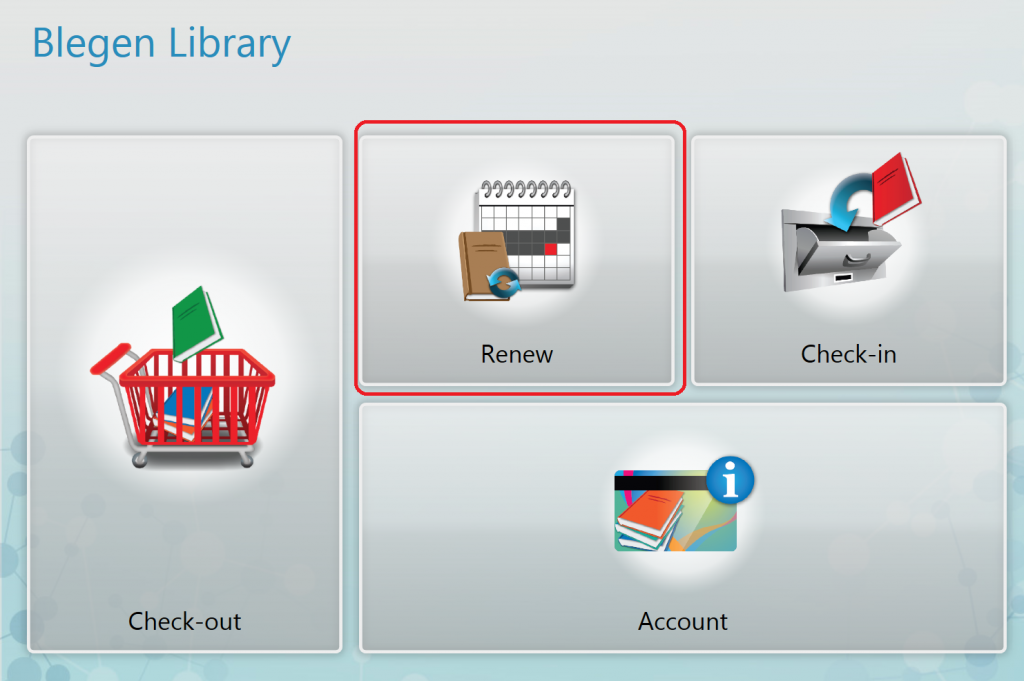
7Renew a book
This applies only to ASCSA members.
If you wish to keep some or all of your books for more than a month, remember to renew them through the kiosk. You only need your library card.
8Suggest a book
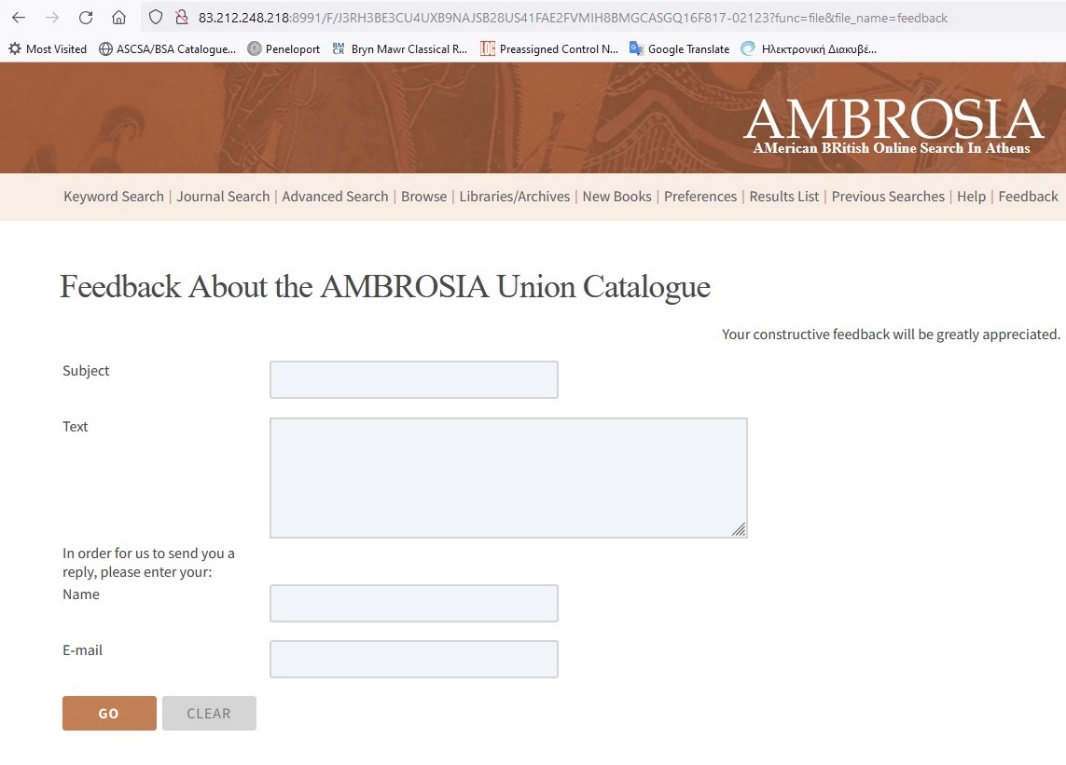
- Use the AMBROSIA Feedback Form.
- Email acquisitions@ascsa.edu.gr.
- Fill out one of the paper slips in the green boxes near the public terminals on the ground floor of the library.
Thank you
More information about library guidelines can be found here.
For inquiries, contact blegen-staff@ascsa.edu.gr.